Image created using advanced AI technology, professionally refined by Inspector Blog editorial team.
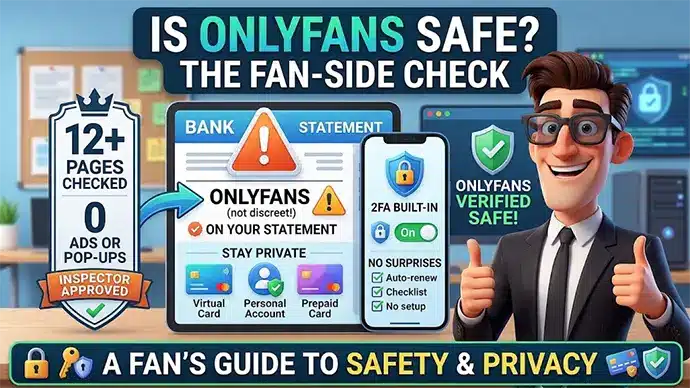
Payments, privacy and the one detail nobody reads until it's too late: what your bank statement actually says. We went through OnlyFans page by page like a first-time subscriber — here's the full fan-side safety picture.
12+
Pages Checked
0
Ads or Pop-Ups
1
Word on Your Statement
2FA
Built Into Accounts
Section 01
Is OnlyFans safe to use as a fan?
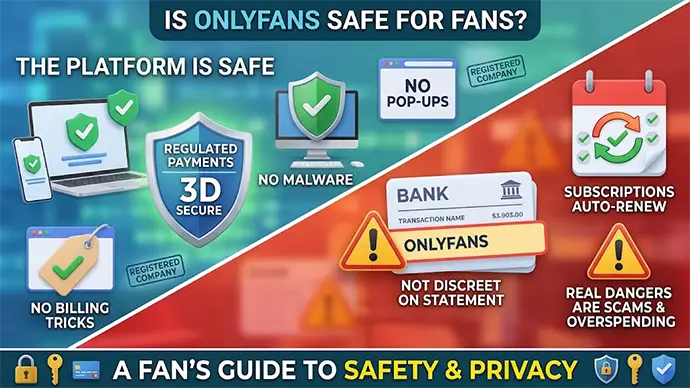
Yes — OnlyFans is safe to use as a fan: it's run by Fenix International Limited, a registered company processing card payments through regulated channels, with no malware, no third-party ads and no billing tricks on the platform itself. It's one of the most scrutinized adult businesses on the internet, and it behaves like it knows that.
The honest caveats sit elsewhere. The charge on your bank statement is not discreet, subscriptions renew until you turn them off, and the biggest dangers wear a human face, not a virus icon.
So the real question isn't whether the site will hurt your device — it won't. It's whether the way OnlyFans handles your money and your name matches what you expect. That's exactly what this check covers.
Safe platform, loud statement — the fan-side trade-off
The Short Version
Platform: safe. Payments: regulated, 3D Secure, and your full card number never reaches OnlyFans itself. Discretion: weak — the statement names OnlyFans. Plan around that one word and the rest is routine.
Section 02
What did our page-by-page check find?
We opened OnlyFans with a clean browser and no ad-blocker: the homepage, video pages, search, the join flow, billing support and every legal page in the footer. The site came back clean on all of them.
What We Checked
What We Found
Homepage & video pages
No third-party ads, no pop-ups, no redirects. OnlyFans sells subscriptions, not your attention.
Search & browsing
Everything stays on the platform — no exits to mystery domains mid-session.
Legal pages
Terms, Privacy Policy, DMCA and age-records notice, plus a named contact route. All present, all current.
Join & billing pages
Price and renewal terms stated before the card field, with a dedicated help section on payments.
Google Safe Browsing
No malware or phishing flags for onlyfans.com when we looked it up on November 10, 2026. For a site this big, the lookup asks you to check a specific address instead of giving one verdict.
OnlyFans passes the same page-by-page check we apply to every site on our list. If it's the homemade, creator-shot feel that draws you to OnlyFans, the top amateur porn sites on that list offer the same style. The interesting part of an OnlyFans review isn't the tech — it's the two sections that follow.
Section 03
Is OnlyFans safe for a debit card?
Yes, a debit card works safely on OnlyFans — payments run through regulated card processors with 3D Secure verification, and, as OnlyFans' Privacy Policy explains, OnlyFans itself never receives your full card number. The platform accepts major debit and credit circuits, and some prepaid cards that allow international transactions.
Safe doesn't mean ideal, though. A debit card pulls from your actual bank balance, and subscriptions auto-renew by default — a forgotten renewal plus a paid DM or two lands directly on money you had plans for.
A credit card gives you an extra layer: stronger dispute rights and a buffer between impulse and balance. If debit is your only option, a separate account or a virtual card with its own limit does the same job.
Inspector's Rule
On any adult site, pay with a card you can watch and cap. Not because the site is shady — because future-you deserves a spending report that contains no surprises. The same rule pays off on the top pay porn sites, where memberships usually renew on their own too.
Section 04
What shows up on your bank statement?
OnlyFans charges appear on your statement with "OnlyFans" in the descriptor — the platform's own help pages say so, and it's the single most underrated fact in this review. There is no discreet billing name.
That's a deliberate anti-fraud choice: a recognizable descriptor means fewer "what is this charge?" disputes. It also means anyone who reads the statement reads your subscription history.
If you share an account, statements or a banking app with someone, plan before you subscribe, not after. The clean options: a personal account, a virtual card, or a prepaid card dedicated to fun money.
If Your Situation Is…
The Discreet Setup
Personal account, nobody else reads it
Any card works — the descriptor only talks to you.
Shared account or shared banking app
A separate personal account or virtual card keeps the statement yours.
You want a hard spending cap too
A prepaid or virtual card with a set limit solves privacy and budget in one move.
Section 05
How private is your fan account?
A fan account can run on a username, an email address and a payment card — your real name never appears to creators or other users. Pick a neutral username and your public footprint on the platform is close to zero.
Security-wise, the essentials are there: two-factor authentication in account settings, session control, and card processing handled by payment providers rather than stored on OnlyFans' own servers. Turn 2FA on — it's the single best five-minute upgrade.
On past incidents, the record favors fans. The widely reported 2020 "OnlyFans leak" was creators' content scraped and re-shared, not a breach of the platform's servers — fan payment data wasn't part of it. Keep your email unique and your password unrecycled, and the known history has nothing pointed at you.
Section 06
What are the real risks for fans?
The real OnlyFans risks for fans are social and financial, not technical: overspending by renewal, fake lookalike sites, and manipulation inside DMs. The platform's code won't hurt you — habits and impostors can.
Auto-renew and paid-message drift
Subscriptions renew until cancelled, and paid DMs plus tips add up quietly. Check your active subscriptions monthly and treat the spending report like a gym mirror: slightly uncomfortable, very useful.
Fake "OnlyFans" sites and login phishing
Lookalike domains and "free OnlyFans hack" pages exist to harvest card numbers and passwords. Log in at onlyfans.com and nowhere else, typing the address yourself in your computer's or phone's browser — never through a link in a DM, an email or an ad.
DM manipulation and blackmail attempts
Anyone pushing you to move the chat off-platform, send personal photos or share identifying details is running a script, not a romance. If a threat ever lands in your inbox, our sextortion email guide walks you through handling it in ten minutes flat.
Section 07
Frequently Asked Questions
Can you browse OnlyFans anonymously?
Toward creators and other users, yes — a username and email are all anyone sees. Toward OnlyFans and your bank, no: the platform knows the card, and the statement names the platform.
Do fans have to verify their identity?
Not the way creators do: a regular fan account needs an email and a payment method, while creators go through full ID checks. Age-verification rules vary by country and keep evolving, so the exact sign-up steps can differ depending on where you live.
Can you get a virus from OnlyFans?
Not from the platform — there are no third-party ads, no downloads and no pop-ups, which removes the usual infection routes. The danger lives on fake lookalike sites, so the address bar matters more than the antivirus.
What happens to billing when you cancel a subscription?
Cancelling stops the next renewal, and you keep access until the paid period ends. No cancellation fee, no phone call — you select "Unsubscribe" on the creator's page, as the OnlyFans Terms of Service describe.
Is it safe to tip or pay for DMs?
Technically yes — tips and paid messages run through the same regulated card processing as subscriptions. The thing to watch is the total, not the transaction: small payments are designed to feel smaller than they add up to.
Section 08
Key Takeaways
What to Remember
OnlyFans is safe to use: regulated card payments, 3D Secure, no ads, no malware routes, clean Safe Browsing record.
The statement is not discreet — the descriptor names OnlyFans, so shared-account setups need a separate or virtual card.
Debit cards work, credit cards protect better: auto-renew plus paid DMs is easier to manage with a buffer and dispute rights.
Turn on 2FA and use a unique password — the platform's known incidents hit scraped creator content, not fan payment data, and good account hygiene keeps it that way.
The address bar is your antivirus: every real risk — phishing, "free hack" pages, DM scams — lives off-platform, at onlyfans.com lookalikes.
The check doesn't end with OnlyFans: every tube, cam and premium platform in our free safe porn directory went through the same page-by-page inspection — so wherever you land next, the homework is already done.
Will MollinsLead Analyst at Free Safe Porn & Web Developer
Lead analyst at FreeSafePorn.com and web developer from the USA. Every site on the list is opened, checked and kept only if it is safe to visit and works well — safety first, hype never.
Curated by experts and updated regularly — our directory covers free porn tubes, premium porn sites, live cams, AI porn and dozens of other categories.