Image created using advanced AI technology, professionally refined by Inspector Blog editorial team.
"I recorded you watching porn," says the email, and it wants crypto by tomorrow. Breathe: it is a template sent to millions of inboxes. Here is how to read it, what that password really means and a 10-minute plan to close the case.
10
Minutes
4
Tells
5
Steps
1
Password to Change
Section 01
"I recorded you watching porn": what is this email?
It is a bluff written once and mailed to huge lists of addresses. The US Federal Trade Commission (FTC) describes it plainly in its alert on these emails: the sender claims to have hacked your computer, recorded you on adult sites and will send the video to friends and family within hours unless you pay in Bitcoin. Its advice fits in four words: don't pay, delete it.
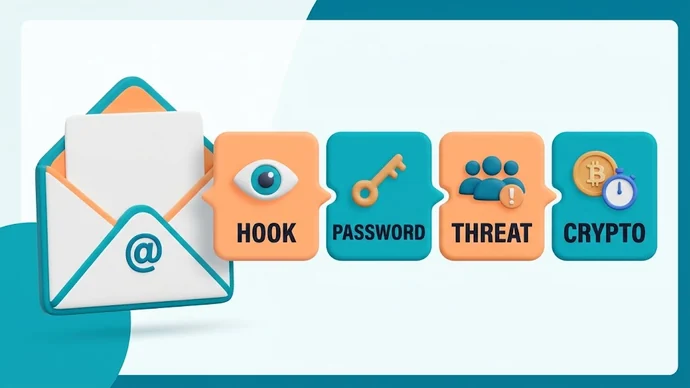
The FBI's Internet Crime Complaint Center (IC3) lists the same pieces in its warning about online extortion emails, and every copy follows the same four-part script. Here is what each part says, what it wants you to believe and the calm answer to it.
The part
What it wants you to believe
Why it's a template
What to do
The hook: "I recorded you"
Someone watched you through your own camera
No site, no date, no clip: the same vague story fits anyone
Read it once, then stop reading
The "proof": one of your passwords
They are inside your device
It comes from an old data breach list, sorted by email address
Change that password wherever you still use it
The threat: a video sent to your contacts
Your family and coworkers will see you
IC3 lists this exact threat as a sign of the scheme
Don't reply and don't negotiate
The demand: crypto and a deadline
You have to decide right now
IC3 says the window is typically 48 hours, payable in Bitcoin
Let the clock run out and report it
Notice what is missing: anything only someone who saw you would know. That gap is the whole story.
The four parts every copy of the email shares
Section 02
Why do they have your password, and why does it change nothing?
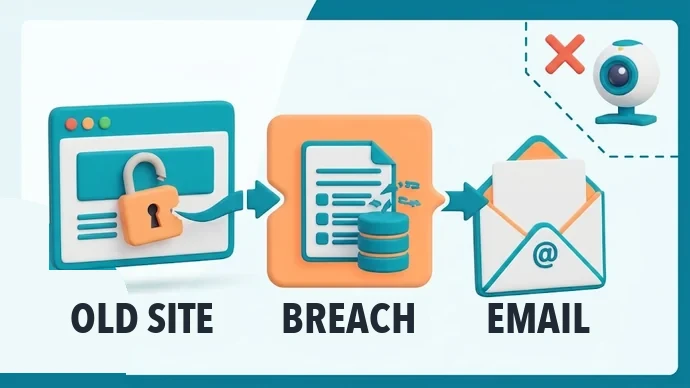
The password is the scary part, and it is also the easiest to explain: it leaked from a site you signed up to years ago. The FTC says these messages often arrive because an email address was exposed in a data breach. The webcam story is "all talk", but the sender may really know one of your old or recent passwords.
Breaches are not rare. When our team checked Have I Been Pwned on November 5, 2026, it had 1,049 breached websites and more than 17.8 billion breached email addresses loaded. Lists like these are sold and shared, and the email simply pastes in the password linked to your address.
How do you check where it came from?
Type your email address on haveibeenpwned.com and it lists the breaches that address appears in. Its Pwned Passwords page checks a password without sending it: only the first 5 characters of a hashed version leave your browser, and the comparison happens on your side.
Why It Changes Nothing
A password from a leaked list proves the sender bought a list, not that anyone is on your laptop. The only thing it asks of you is a new password on every account that still uses it. Memberships count too: if you joined one of the top pay porn sites with that password, change it there as well.
Your old password went from a hacked site to a breach list to this email, never through your webcam
Section 03
What are the 4 tells that it's a template sent to millions?
You can confirm it yourself in two minutes. If you spot two or more of these, you are holding a mass mailing, not a personal message.
The Four Tells
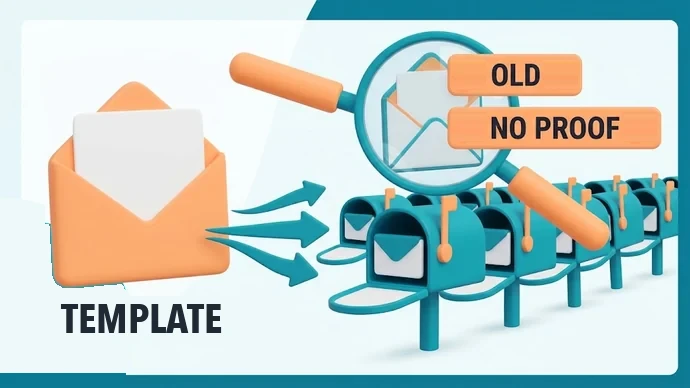
The password is old. If it is one you stopped using years ago, it came from a breach, not from your device today.
There is no real proof. No screenshot, no site name and no clip: the email describes "a video" that could belong to anyone.
The sender looks wrong. IC3 notes these come from unknown senders, often in broken English. Some even seem to come from your own address: Microsoft's help page on phishing in Outlook explains that scammers spoof the sender, and Outlook shows a question mark in the sender photo when it can't verify who sent it.
The same words are everywhere. Search one sentence of the email online. The FTC's own alert about these messages collected hundreds of comments from people who got the same text, some of them watching the "price" drop from one copy to the next.
One more detail makes the point: the threat is always "your contacts", never a specific person. A template can't know who your friends are.
One template, mailed to thousands: an old password and no real proof are two of the four tells
Section 04
What should you do in the next 10 minutes?
Five steps, two minutes each, and the email goes from scary to boring. Do them in this order, because the report needs the message before you delete it.
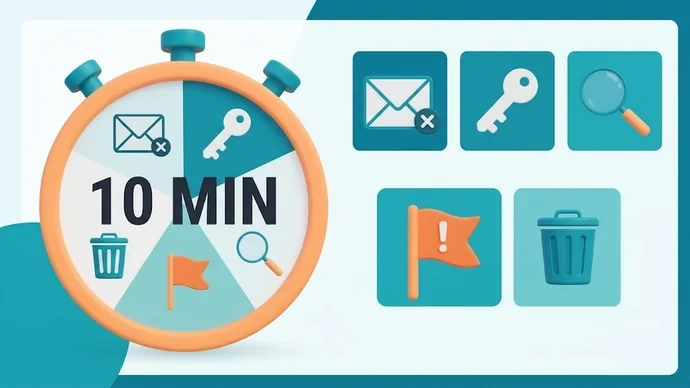
Minutes 1–2: close it. No reply, no links, no attachments. Gmail's help page on phishing says not to click links or download files in messages from unknown senders.
Minutes 3–4: change the password it shows. Change it on every account where you still use it, starting with your email, and turn on 2-step verification there. IC3 recommends strong passwords that aren't reused across sites.
Minutes 5–6: check your address on haveibeenpwned.com, so you know which old accounts deserve a new password too.
Minutes 7–8: report it to IC3 at ic3.gov, or to the FTC at ReportFraud.ftc.gov. IC3 asks for the email with its header information and the payment address it lists, if there is one.
Minutes 9–10: report it in your inbox and delete it. In Gmail on a computer, open the message, click More next to Reply and choose Report phishing. In Outlook.com, select it and choose Report, then Report phishing above the reading pane. Outlook notes that this doesn't block the sender, so add the address to your blocked senders too. Both help pages give these steps for a computer, so if the email reached your phone, finish this step from a computer browser.
That's it. Nothing in these steps costs money, and none of them needs you to talk to anyone.
Five steps, two minutes each
Section 05
Why shouldn't you pay, reply or "test" them?
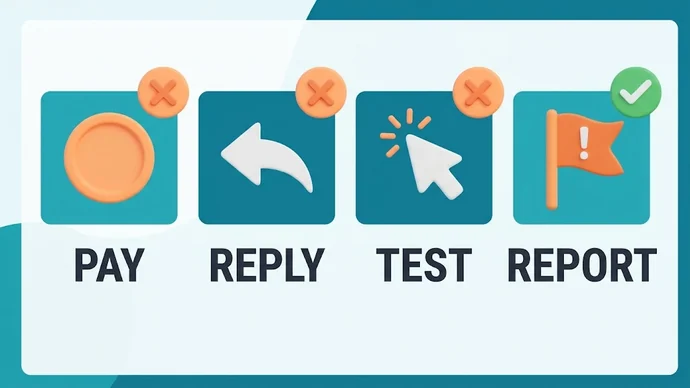
Because each of those moves tells the sender a real, worried person reads this inbox, and that is the only thing the template can't buy.
Why not just pay to make it stop?
There is no video to delete, so a payment buys nothing. The FTC says not to pay anything, and the FBI says it does not condone paying online extortion demands, because the money funds more crime.
What's wrong with replying?
IC3's advice is not to communicate with unsolicited email senders. A reply, even an angry one, confirms your address works and that you are paying attention.
Can't you ask for proof or click to see the video?
No. "Testing" them means opening their links or files, and that is exactly where real harm can start. If you want proof that it's a bluff, the four tells in section 03 are proof enough.
Three moves to skip and the one to make
Section 06
What if it isn't a template, and where do you report it?
It is a different case when the sender shows something real: a photo or video you actually sent to someone, a chat you recognize, or content taken from one of your accounts. Then the threat isn't a bluff, and the steps change.
If the Threat Is Real
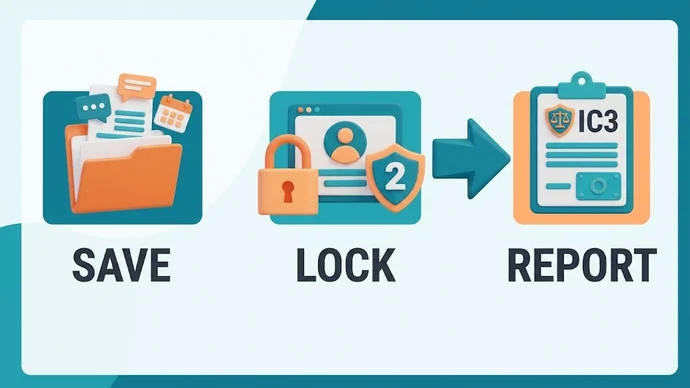
Keep everything: messages, usernames, profile links and dates. Don't delete the conversation.
Don't pay or send more, for the same reason as above: it doesn't make the content disappear.
Report it at ic3.gov. If explicit content was taken from your accounts or posted online, the FBI points to ncii.ic3.gov, where you can say which platforms it appeared on.
Lock your accounts with new passwords and 2-step verification, and reset them only from the official site or app.
The FBI's 2026 warning on stolen intimate images also asks whether you were under 18 in the images, so say so in the report if that applies. You don't have to handle it alone: a report puts the case in front of people whose job is to act on it.
Save it, lock your accounts and report it
Section 07
Frequently Asked Questions
The same five doubts show up after this email lands, so here are short, straight answers.
Can someone really have turned on my webcam?
Not in this email. The FTC calls the claims about access to your computer or webcam "all talk"; the only real detail is a leaked password.
Why does it look like it came from my own address?
The sender is faked. Microsoft explains that phishing emails can use a spoofed sender address, and Outlook marks unverified senders with a question mark.
The password is ten years old. Do I still need to change it?
Only where you still use it. If it's gone from all your accounts, there's nothing to change, and the email has already shown you it's a recycled list.
Will the emails stop if I ignore them?
You may get more copies, sometimes with a lower price. Mark each one as phishing and block the sender, and your filter learns.
Do I need to stop visiting porn sites?
No. The email has nothing to do with what you watched. Unique passwords, 2-step verification and trusted sites keep your nights relaxed. Free tubes are an easy start: the top porn tube sites play without an account, so there is no password to leak at all.
Section 08
Key Takeaways
The email is built to rush you, so the best answer is a calm, boring routine.
Remember
It's a template: no proof, an old leaked password and a crypto deadline.
The password came from a breach, so change it wherever you still use it and turn on 2-step verification.
Report, then delete: IC3 or ReportFraud.ftc.gov first, then Report phishing in Gmail or Outlook.
Real content is a different case: keep everything, don't pay and report it at ic3.gov.
Inbox sorted, the rest of the night is yours again: pick something from our list of safe porn sites, sorted by category, and enjoy it with a clear head.
Will MollinsLead Analyst at Free Safe Porn & Web Developer
Lead analyst at FreeSafePorn.com and web developer from the USA. Every site on the list is opened, checked and kept only if it is safe to visit and works well — safety first, hype never.
Curated by experts and updated regularly — our directory covers free porn tubes, premium porn sites, live cams, AI porn and dozens of other categories.